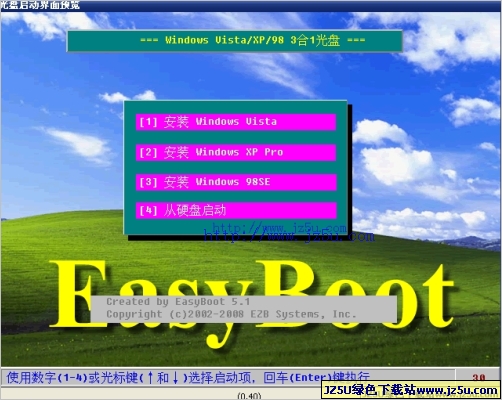
客户端操作 从光盘启动,见图。有两个启动选项: Usually used Net Cards 包含了常用网卡, More Net Cards 包含 100 种网卡,基本可以包含所有的网卡。
软件类别:
系统维护 / 版 / 系统维护
运行环境:
Win9x/NT/2000/XP/
软件大小:
8.6M
整理时间:
2003-12-9 10:39:22
开 发 商:
未知
软件简介:
本来,Ghost的企业版提供了网络Ghost功能,但是对应多网卡不能很好的工作。万一选错网卡驱动,可能导致系统不能正常启动。因此,不能用于播出系统的备份。为了完成对系统的备份,经过研究探索,可以采用下面的方法完成备份。一、首先,准备启动盘。
将光盘映像文件Net Ghost.ISO用Nero等刻录工具刻成光盘。如果需要软盘,可以在命令行方式下运行Make Floppy目录下的make_fd.bat制作两张软盘。软盘1是系统盘,软盘2是ghost盘。二、服务端启动GhostCast服务端计算机Ip地址假定为192.168.1.2。输入Session Name ,如:Test。如果选Load To Client,是用作将Gho文件发送到客户端,需要选择对应的文件,请一定确认文件正确。如果选Dump from Client,是用作将客户端备份到服务端。需要输入Image File,如:c:\test.gho;可以选择操作是针对Disk还是Partition。操作完成后,等待客户端的连接。
screen.width*0.7) {this.resized=true; this.width=screen.width*0.7; this.alt='Click here to open new window\nCTRL+Mouse wheel to zoom in/out';}" border=0>
三、客户端操作 从光盘启动,见图。有两个启动选项: Usually used Net Cards 包含了常用网卡, More Net Cards 包含 100 种网卡,基本可以包含所有的网卡。
screen.width*0.7) {this.resized=true; this.width=screen.width*0.7; this.alt='Click here to open new window\nCTRL+Mouse wheel to zoom in/out';}" border=0>
以启动 Usually used Net Cards 为例说明。启动时一般选 1 。
screen.width*0.7) {this.resized=true; this.width=screen.width*0.7; this.alt='Click here to open new window\nCTRL+Mouse wheel to zoom in/out';}" border=0>
出现下图时选 OK
screen.width*0.7) {this.resized=true; this.width=screen.width*0.7; this.alt='Click here to open new window\nCTRL+Mouse wheel to zoom in/out';}" border=0>
出现下图选 Auto
screen.width*0.7) {this.resized=true; this.width=screen.width*0.7; this.alt='Click here to open new window\nCTRL+Mouse wheel to zoom in/out';}" border=0>
从系统自动找出的网卡中选出自己需要的网卡驱动,常用网卡见附表。多网卡时请注意选择与Ghost服务端正确连接的网卡。
screen.width*0.7) {this.resized=true; this.width=screen.width*0.7; this.alt='Click here to open new window\nCTRL+Mouse wheel to zoom in/out';}" border=0>
附表:常用网卡对照表
网卡型号
对应的网卡驱动
3C905B-TX
el90x.cab
Legend/D-link DFE-530TX
fetnd.cab
Intel 82559
e100b.cab
Intel 82558 With Wake on LAN
e100b.cab
D-link DFE-530TX
dlkrts.cab 、 fetnd.cab
Realtek RTL8139
rtsnd.cab
Intel Pro/100+
e100b.cab
IBM Netfinity 10/100
e100b.cab
HP Netserver 100/100TX
e100b.cab
SIS 0900
sis900.cab
SAMSUNG SC1200-TX
dlkpci.cab
SMARTETHER SC1010-TX
pnpnd.cab
Realtek RTL8029
pcind.cab
ACCTON EN1207D
accnd.cab
Realtek RTL8019
pnpnd.cab
网卡型号 对应的网卡驱动 3C905B-TX el90x.cab Legend/D-link DFE-530TX fetnd.cab Intel 82559 e100b.cab Intel 82558 With Wake on LAN e100b.cab D-link DFE-530TX dlkrts.cab 、 fetnd.cab Realtek RTL8139 rtsnd.cab Intel Pro/100+ e100b.cab IBM Netfinity 10/100 e100b.cab HP Netserver 100/100TX e100b.cab SIS 0900 sis900.cab SAMSUNG SC1200-TX dlkpci.cab SMARTETHER SC1010-TX pnpnd.cab Realtek RTL8029 pcind.cab ACCTON EN1207D accnd.cab Realtek RTL8019 pnpnd.cab 网卡选好后,进入 Ip 设置,因为我们一般不采用 DHCP ,不要选中 Enable DHCP ,如果不在 DOS 下联网, IP address 可以随便填,因为在进入 Ghost 时可以设置。
screen.width*0.7) {this.resized=true; this.width=screen.width*0.7; this.alt='Click here to open new window\nCTRL+Mouse wheel to zoom in/out';}" border=0>
出现下面窗口时可以跳过,直接 OK 确认。
screen.width*0.7) {this.resized=true; this.width=screen.width*0.7; this.alt='Click here to open new window\nCTRL+Mouse wheel to zoom in/out';}" border=0>
启动完成后,回到 A :,运行 go ,在下面的窗口中输入 IP 地址和掩码。地址必须和Ghost服务端是同样的网段。
screen.width*0.7) {this.resized=true; this.width=screen.width*0.7; this.alt='Click here to open new window\nCTRL+Mouse wheel to zoom in/out';}" border=0>
输入完成后按 Alt + X 键保存退出,系统自动启动 Ghost 。选择 GhostCast Unicast 或 Directed BroadCast 。
screen.width*0.7) {this.resized=true; this.width=screen.width*0.7; this.alt='Click here to open new window\nCTRL+Mouse wheel to zoom in/out';}" border=0>
在下图中输入服务端的 Session Name ,如: Test ;输入 Server IP Address ,如 192.168.1.2 。
screen.width*0.7) {this.resized=true; this.width=screen.width*0.7; this.alt='Click here to open new window\nCTRL+Mouse wheel to zoom in/out';}" border=0>
输入后按 OK ,进入下面的操作。确认后进入下面操作。
screen.width*0.7) {this.resized=true; this.width=screen.width*0.7; this.alt='Click here to open new window\nCTRL+Mouse wheel to zoom in/out';}" border=0>
操作和普通的 Ghost 类似,完成后显示下面的图片。
screen.width*0.7) {this.resized=true; this.width=screen.width*0.7; this.alt='Click here to open new window\nCTRL+Mouse wheel to zoom in/out';}" border=0>
同时, GhostCast 也显示 Transfer Complete 。
screen.width*0.7) {this.resized=true; this.width=screen.width*0.7; this.alt='Click here to open new window\nCTRL+Mouse wheel to zoom in/out';}" border=0>
以上讲的是对客户机的备份,备份还原操作与此类似。